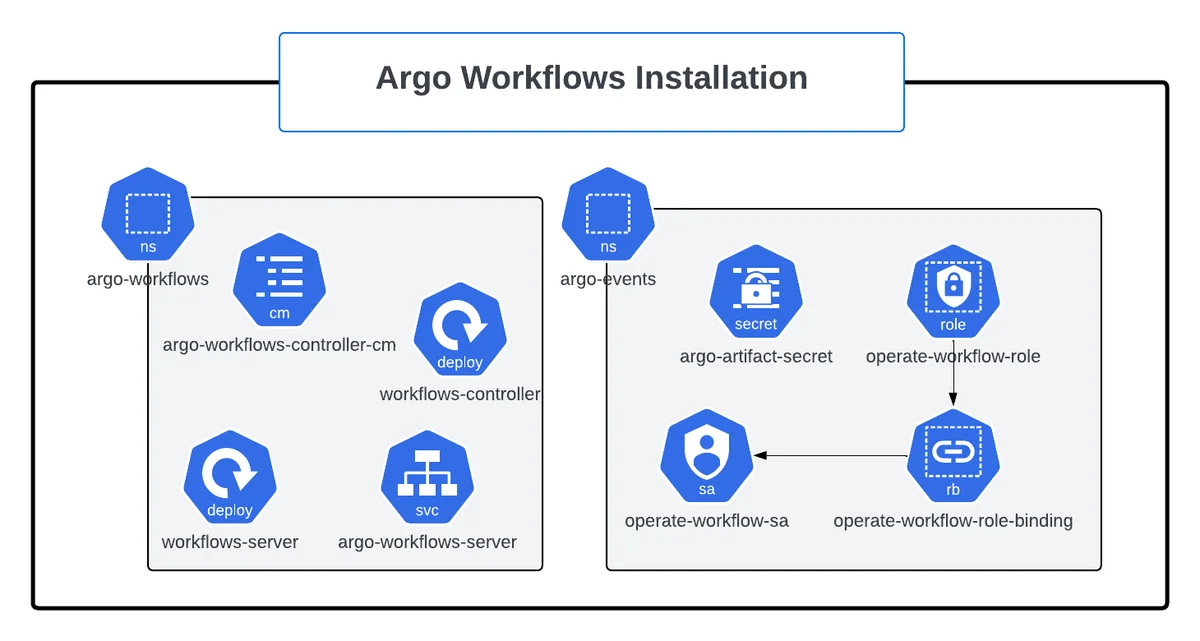
Installing Argo Workflows takes only a few minutes, but the choices you make during installation — cluster-wide or namespaced, manifests or Helm, which authentication mode, where artifacts live — shape how secure and maintainable the platform will be. This guide covers a fast local install, a Helm-based install, CLI setup, UI access, artifact storage and a production hardening checklist.
Before You Install
Requirements
- A Kubernetes cluster running a version supported by your chosen Argo Workflows release (check the release notes for the tested range).
kubectlwith cluster-admin rights for the initial install, because CRDs and cluster roles are created.- Optional: Helm 3 if you prefer chart-based installs.
- Optional: an object store (S3, GCS, Azure Blob or MinIO) for artifacts.
Choose a Version
Argo Workflows publishes releases on GitHub. At the time of writing, the 4.x line is current and the 3.7 line still receives patch releases. Always check the releases page and the upgrading notes before choosing. Set the version once so every command uses it:
export ARGO_WORKFLOWS_VERSION="v4.1.2" # replace with the latest release
Version 4.0 removed several fields that were deprecated in 3.6, including the singular schedule field on CronWorkflows and the singular mutex/semaphore fields. If you are upgrading existing manifests, read the upgrading guide first.
Cluster-Wide or Namespaced?
| Mode | Manifest | Best for |
|---|---|---|
| Cluster-wide | install.yaml |
Platform teams running workflows in many namespaces |
| Namespaced | namespace-install.yaml |
Shared clusters where you cannot create cluster roles beyond CRDs |
The cluster-wide controller watches every namespace (or a configured subset). The namespaced controller only manages workflows in its own namespace.
Method 1: Install With kubectl
Step 1: Create the Namespace
kubectl create namespace argo
Step 2: Apply the Release Manifest
kubectl apply -n argo -f \
  "https://github.com/argoproj/argo-workflows/releases/download/${ARGO_WORKFLOWS_VERSION}/install.yaml"
From version 4.0 the release manifests include full CRDs with validation schemas. These are large; if your client reports metadata.annotations: Too long, re-run the command with --server-side, which avoids storing the last-applied annotation.
Step 3: Verify the Pods
kubectl -n argo get deploy,pods
kubectl -n argo rollout status deploy/workflow-controller
kubectl -n argo rollout status deploy/argo-server
You should see workflow-controller and argo-server running with all containers ready.
Step 4 (Local Only): Simplify UI Authentication
By default the Argo Server uses client authentication, which requires a bearer token. For a throwaway local cluster you can switch to server mode so the UI works without logging in:
kubectl patch deployment argo-server -n argo --type='json' -p='[
  {"op": "replace", "path": "/spec/template/spec/containers/0/args",
   "value": ["server", "--auth-mode=server"]}
]'
Never use server mode on a shared or internet-facing cluster: every UI user acts with the server's service account permissions.
Method 2: Install With Helm
The community-maintained chart lives in the argo-helm repository and is the most common choice for GitOps-managed installs.
helm repo add argo https://argoproj.github.io/argo-helm
helm repo update
helm install argo-workflows argo/argo-workflows \
  --namespace argo --create-namespace \
  -f values.yaml
A minimal values.yaml for a team installation:
controller:
  workflowNamespaces:
    - argo
    - data-pipelines
server:
  authModes:
    - client
  extraArgs: []
workflow:
  serviceAccount:
    create: true
    name: argo-workflow
  rbac:
    create: true
Why Teams Choose Helm
- Values files keep environment differences small and reviewable.
- Upgrades are a single
helm upgradewith a version pin. - Argo CD can manage the chart declaratively.
- The chart can create the workflow service account and RBAC in each watched namespace.
Check the chart's values.yaml for your chart version, since keys evolve between releases.
Install the Argo CLI
macOS and Linux
ARGO_OS="darwin"
if [[ "$(uname -s)" != "Darwin" ]]; then ARGO_OS="linux"; fi
curl -sLO "https://github.com/argoproj/argo-workflows/releases/download/${ARGO_WORKFLOWS_VERSION}/argo-${ARGO_OS}-amd64.gz"
gunzip "argo-${ARGO_OS}-amd64.gz"
chmod +x "argo-${ARGO_OS}-amd64"
sudo mv "./argo-${ARGO_OS}-amd64" /usr/local/bin/argo
argo version
On Apple Silicon or ARM servers, replace amd64 with arm64. Homebrew users can run brew install argo.
Windows
Download the Windows binary from the same release page, rename it to argo.exe and add its folder to your PATH.
How the CLI Connects
The CLI uses your kubeconfig by default and talks to the Kubernetes API directly. To route through the Argo Server instead (useful when the API server is not reachable), set ARGO_SERVER, ARGO_HTTP1, ARGO_SECURE and ARGO_TOKEN environment variables.
Access the Argo UI
For local access, port-forward the service:
kubectl -n argo port-forward svc/argo-server 2746:2746
Open https://localhost:2746. The server uses a self-signed certificate by default, so your browser will show a warning. In client auth mode, generate a token from a service account with suitable permissions and paste it into the login page:
argo auth token
For shared environments, expose the server through an Ingress or Gateway with a real TLS certificate and configure SSO (OIDC with providers such as Dex, Okta, Google or Azure AD). SSO can map groups to Kubernetes service accounts through RBAC annotations.
Run a Smoke Test
argo submit -n argo --watch \
  https://raw.githubusercontent.com/argoproj/argo-workflows/main/examples/hello-world.yaml
argo list -n argo
argo logs -n argo @latest
If the workflow fails with a permissions error, the default service account cannot create task results. Fix it with the RBAC steps in the Kubernetes integration guide.
Configure an Artifact Repository
Artifacts let steps exchange files. Configure a default repository in the workflow-controller-configmap:
apiVersion: v1
kind: ConfigMap
metadata:
  name: workflow-controller-configmap
  namespace: argo
data:
  artifactRepository: |
    s3:
      bucket: my-argo-artifacts
      endpoint: s3.amazonaws.com
      region: us-east-1
      insecure: false
      keyFormat: "{{workflow.namespace}}/{{workflow.name}}/{{pod.name}}"
      useSDKCreds: true
Credential Options
- IRSA, Workload Identity or Pod Identity: preferred on managed clouds; set
useSDKCreds: trueand annotate the workflow service account. - Static keys: reference a Secret with
accessKeySecretandsecretKeySecretwhen cloud identity is not available. - MinIO: use the same
s3block with your MinIO endpoint andinsecure: trueonly for local testing.
Teams with multiple buckets can define an artifact-repositories ConfigMap per namespace and select one with artifactRepositoryRef in the workflow spec.
Installing on Managed Kubernetes
The same manifests and chart work on every conformant cluster, but each managed service has a few details worth knowing.
Amazon EKS
Use IAM Roles for Service Accounts (IRSA) or EKS Pod Identity so workflow pods can read and write S3 without static keys. Annotate the workflow service account with the role ARN and set useSDKCreds: true in the artifact repository. If you use Fargate profiles, remember that DaemonSets and privileged containers are not supported, and pod start-up is slower than on managed node groups.
Google GKE
Workload Identity maps a Kubernetes service account to a Google service account with access to a GCS bucket. Configure a gcs artifact repository block with the bucket name. On Autopilot clusters, every container must declare resource requests, so set defaults for the executor containers in the controller ConfigMap as well as in your templates.
Microsoft AKS
Use Microsoft Entra Workload ID with an azure artifact repository pointing at a Blob Storage container. AKS clusters with Azure Policy may block privileged or root containers, which is good practice anyway; make sure your images run as non-root users.
Local Clusters
kind, k3d and minikube are ideal for learning. Install MinIO in the same cluster if you want to practise with artifacts, and remember that local clusters have limited CPU and memory, so keep parallelism low.
Setting Workflow Defaults
The controller can merge default values into every workflow it runs. This is the easiest way to enforce cleanup and safety policies without relying on every author to remember them:
data:
  workflowDefaults: |
    spec:
      serviceAccountName: argo-workflow
      ttlStrategy:
        secondsAfterCompletion: 604800
      podGC:
        strategy: OnPodSuccess
      activeDeadlineSeconds: 21600
Values set in an individual workflow override these defaults, so authors keep control when they genuinely need a longer deadline or a different service account.
Enabling the Workflow Archive
Workflow objects live in etcd, which is not designed to hold months of history. The archive copies completed workflows into PostgreSQL or MySQL so you can delete them from the cluster while still browsing them in the UI. Configure the persistence section of the controller ConfigMap with the database host, table name and a Secret holding credentials, then set archive: true. Add an archiveTTL so the database itself does not grow forever. Teams with compliance requirements often keep ninety days or more of archived runs.
Production Hardening Checklist
Security
- Use
clientorssoauth mode for the Argo Server; neverservermode on shared clusters. - Run workflows with dedicated service accounts per team, granting only the permissions each team needs.
- Set pod security defaults:
runAsNonRoot, read-only root file systems where possible, and no privileged containers. - Restrict which namespaces the controller watches.
- Store credentials in Kubernetes Secrets or an external secret manager, never in workflow parameters.
Reliability
- Run the controller with leader election and two replicas for faster failover.
- Set resource requests and limits for the controller and server.
- Configure default
ttlStrategyandpodGCinworkflowDefaultsso forgotten workflows are cleaned up. - Enable
nodeStatusOffLoadwith a database for very large workflows.
Observability
- Scrape controller metrics with Prometheus and alert on error rates and queue depth.
- Ship pod logs to a central log store so logs survive pod garbage collection.
- Enable the workflow archive to keep history after objects are deleted.
Post-Installation Checklist
Before announcing the platform to other teams, confirm each of these items:
- The controller and server pods are healthy and have resource requests set.
- A test workflow succeeds in every namespace the controller watches.
- Artifacts upload and download correctly from the configured repository.
- UI login works through your chosen authentication mode, and users only see their own namespaces.
- Default cleanup settings delete completed workflows and pods as expected.
Upgrading Argo Workflows
- Read the upgrading notes for every version between your current and target release.
- Back up CRDs, WorkflowTemplates, CronWorkflows and the controller ConfigMap.
- Apply the new manifest or run
helm upgradein a staging cluster first. - Submit your most important templates as smoke tests.
- Upgrade production during a quiet window; running workflows continue after the controller restarts.
Troubleshooting Installation Issues
- CRD apply fails with "Too long" — use
kubectl apply --server-side. argo-serverCrashLoopBackOff — check the arguments; an invalid--auth-modevalue or missing TLS secret stops the server.- UI shows "Unauthorized" — the token expired or lacks permissions. Generate a new token and confirm the service account's role.
- Controller logs show "forbidden" for a namespace — the controller's cluster role or namespace role binding is missing for that namespace.
- Workflows never start — confirm the controller is watching the namespace (
--namespacedflag orworkflowNamespacesvalue) and that only one controller instance manages it.
Frequently Asked Questions
Can I install Argo Workflows with Argo CD?
Yes. Point an Argo CD Application at the Helm chart or at a Git folder containing the release manifests and your ConfigMap overrides.
Do I need a database?
Not for basic use. A database is only needed for the workflow archive and node status offloading.
Can multiple controllers run in one cluster?
Yes, using namespaced installs or instance IDs, but each workflow must be managed by exactly one controller.
Which namespace should workflows run in?
The controller can live in argo while workflows run in team namespaces. This keeps platform components separate from user workloads and lets you apply different quotas, network policies and service accounts per team.
How much CPU and memory does the controller need?
Small installations run comfortably with a few hundred millicores and a few hundred megabytes. Requirements grow with the number of concurrent workflows and nodes, so watch controller metrics and raise limits as load increases rather than guessing up front.
Is the Argo Server required for the CLI?
No. By default the CLI talks to the Kubernetes API using your kubeconfig. The server is required only for the UI, for SSO, and for clients that cannot reach the Kubernetes API directly.
Can I install only the CRDs?
Yes. Some organisations manage CRDs separately from controllers so that cluster administrators control schema changes. Apply the CRD manifests from the release first, then install the controller without CRDs, for example by disabling CRD installation in the Helm chart values.
How do I uninstall it?
Delete the namespace and the cluster-scoped resources created by the manifest, including CRDs. Deleting CRDs removes every workflow object, so export anything you need first.
Key Takeaways
- Pin a version and read the upgrading notes first.
- Use Helm or GitOps for repeatable installs.
- Never expose server auth mode outside a local cluster.
Conclusion
A working Argo Workflows installation needs just two commands, but a production-grade platform adds authentication, RBAC, artifact storage, cleanup defaults and monitoring. With these foundations in place, continue to the tutorial or generate RBAC manifests with the Kubernetes YAML generator.

Written and reviewed according to our editorial policy. Spotted an error? Tell us and we will fix it. This site is independent and not affiliated with the Argo Project.
Related guides
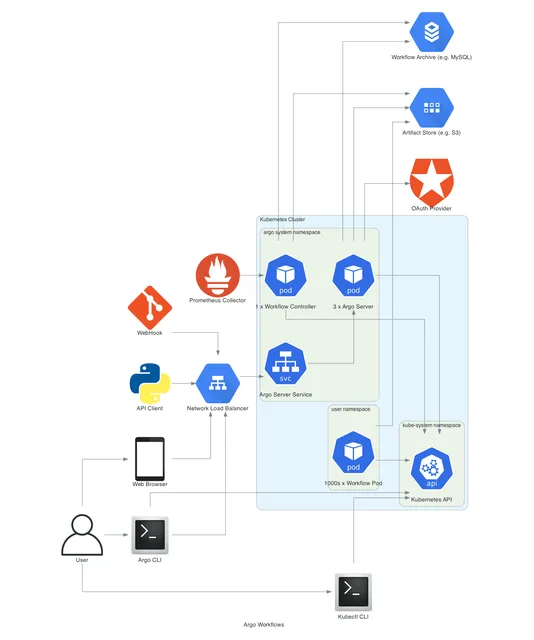 Kubernetes Integration
How Does Argo Workflows Integrate With Kubernetes?
How Argo Workflows integrates with Kubernetes — service accounts, executor RBAC, namespaces, resource requests, scheduling, volumes, secrets, network policies and multi-tenant security.
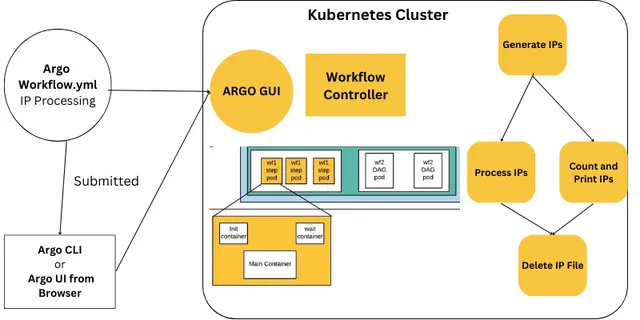 Tutorials
How Do You Build Your First Argo Workflows Pipeline?
A hands-on Argo Workflows tutorial. Write, submit and debug workflows with steps, parameters, outputs, loops, conditions, retries and exit handlers using working YAML.
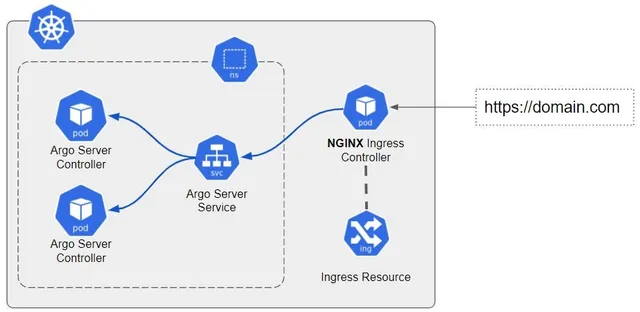 Troubleshooting & Errors
How Do You Fix Common Argo Workflows Errors?
Diagnose and fix common Argo Workflows errors — RBAC and service accounts, pending pods, OOMKilled, image pulls, artifacts, parameter resolution, DAG cycles, UI login, CronWorkflows and controller issues.