A CronWorkflow runs an Argo Workflow on a schedule. It is the Argo equivalent of a Kubernetes CronJob, but instead of creating a single Job it creates a complete Workflow with all of Argo's features: DAGs, retries, artifacts, exit handlers and a UI. Teams use CronWorkflows for nightly ETL, scheduled reports, backups, certificate checks, model retraining and housekeeping. This guide covers everything you need to schedule pipelines reliably.
Anatomy of a CronWorkflow
apiVersion: argoproj.io/v1alpha1
kind: CronWorkflow
metadata:
  name: nightly-etl
  namespace: data-pipelines
spec:
  schedules:
    - "30 2 * * *"
  timezone: "America/New_York"
  concurrencyPolicy: Forbid
  startingDeadlineSeconds: 600
  successfulJobsHistoryLimit: 5
  failedJobsHistoryLimit: 10
  suspend: false
  workflowSpec:
    entrypoint: main
    serviceAccountName: etl-runner
    activeDeadlineSeconds: 10800
    templates:
      - name: main
        container:
          image: ghcr.io/example/etl:2.4.0
          args: ["--date", "{{workflow.scheduledTime}}"]
The top part of the spec controls when and how often workflows are created. workflowSpec is a normal workflow spec describing what runs. Apply it with kubectl apply or argo cron create.
Step-by-Step: Create Your First CronWorkflow
Follow these steps to put a pipeline on a schedule safely:
- Start from a working workflow. Submit it manually first with
argo submit --watchand make sure it succeeds. Scheduling a broken workflow only produces broken runs more often. - Wrap the spec. Change
kindtoCronWorkflow, give it a fixedmetadata.name, move the existingspecunderspec.workflowSpec, and addschedules. - Choose policies. Set
concurrencyPolicy,startingDeadlineSecondsand history limits deliberately rather than relying on defaults. - Lint it. Run
argo cron lint nightly-etl.yamlor paste it into the validator. - Create it. Run
argo cron create nightly-etl.yaml -n data-pipelinesor apply it withkubectl. - Test immediately. Trigger a run on demand with
argo submit --from cronwf/nightly-etlinstead of waiting for the schedule. - Verify the next run time.
argo cron get nightly-etlshows when the controller will next create a workflow, which confirms the timezone and expression are what you intended.
Testing on demand in step six is the habit that saves the most time. It surfaces permission, image and parameter problems in minutes instead of the next morning.
Cron Syntax Refresher
Schedules use the standard five-field format:
| Field | Allowed values |
|---|---|
| Minute | 0–59 |
| Hour | 0–23 |
| Day of month | 1–31 |
| Month | 1–12 |
| Day of week | 0–6 (Sunday = 0) |
Special characters:
*— every value.,— a list, such as1,15.-— a range, such as1-5for Monday to Friday./— a step, such as*/15for every fifteen minutes.
Common schedules:
| Schedule | Meaning |
|---|---|
*/15 * * * * |
Every 15 minutes |
0 * * * * |
Every hour on the hour |
30 2 * * * |
Daily at 02:30 |
0 9 * * 1-5 |
Weekdays at 09:00 |
0 0 1 * * |
First day of each month at midnight |
0 6 * * 0 |
Sundays at 06:00 |
Descriptors such as @daily and @hourly are also accepted. Build and check expressions with our CronWorkflow generator, which explains each schedule in plain English and lists upcoming run times.
Multiple Schedules With schedules
Since version 3.6 the spec accepts a list of schedules, and version 4.0 removed the older singular schedule field. A list lets one CronWorkflow run at irregular times without duplicating the definition:
spec:
  schedules:
    - "0 8 * * 1-5"    # weekday mornings
    - "0 12 * * 6,0"   # weekend middays
If you maintain clusters on versions older than 3.6, use schedule: "0 8 * * 1-5" instead; the generator can output either form.
Timezones
Without timezone, schedules are interpreted in the controller's timezone, which is usually UTC. Set an IANA timezone name to schedule in local business time:
spec:
  timezone: "Europe/London"
Be careful around daylight saving transitions. A schedule at 01:30 may run twice or not at all on transition days in timezones that shift at that hour. For jobs where this matters, schedule outside the transition window or use UTC.
Concurrency Policies
concurrencyPolicy decides what happens when a new run is due while a previous one is still running:
| Policy | Behaviour | Use when |
|---|---|---|
Allow |
Start the new run alongside the old one | Runs are independent and short |
Forbid |
Skip the new run | Runs must never overlap, such as backups |
Replace |
Stop the old run and start the new one | Only the latest data matters |
Most data pipelines should use Forbid. Overlapping ETL runs often write to the same tables and corrupt results.
Starting Deadlines and Missed Runs
If the controller is down or restarting at the scheduled time, it can catch up when it returns. startingDeadlineSeconds defines how late a run may start. With a value of 600, a run missed by up to ten minutes still starts; a run missed by more is skipped. Without a deadline, behaviour depends on the controller version, so set it explicitly for predictable results.
History Limits
successfulJobsHistoryLimit and failedJobsHistoryLimit control how many completed workflows the CronWorkflow keeps. Older ones are deleted. Keep more failures than successes so investigations have enough context. If you also use the workflow archive, history remains browsable after deletion.
Suspending and Resuming
Pause a schedule without deleting it — during maintenance windows, for example:
argo cron suspend nightly-etl -n data-pipelines
argo cron resume nightly-etl -n data-pipelines
This toggles spec.suspend. If you manage CronWorkflows with GitOps, change the field in Git instead, otherwise the next sync reverts your change.
Conditional Schedules and Stop Strategies
Newer versions add two refinements:
when— an expression evaluated at each scheduled time. If false, the run is skipped. Useful for "run only if the previous run succeeded" or "run only on business days according to a calendar parameter".stopStrategy— an expression that permanently stops scheduling when it becomes true, such as after a number of failures. The CronWorkflow is then marked completed.
spec:
  schedules: ["*/10 * * * *"]
  stopStrategy:
    expression: "cronworkflow.failed >= 3"
Check your version's documentation for the exact variables available in these expressions.
Using a WorkflowTemplate From a CronWorkflow
Rather than embedding a large spec, point the CronWorkflow at a stored template:
apiVersion: argoproj.io/v1alpha1
kind: CronWorkflow
metadata:
  name: weekly-report
spec:
  schedules: ["0 7 * * 1"]
  timezone: "Asia/Karachi"
  concurrencyPolicy: Forbid
  workflowSpec:
    workflowTemplateRef:
      name: generate-report
    arguments:
      parameters:
        - name: period
          value: weekly
This keeps the schedule and the pipeline separate. The same template can be run on demand, from an event, or on several schedules with different parameters.
Notifications for Scheduled Runs
Scheduled workflows run while nobody is watching, so failures must announce themselves. Add an exit handler to workflowSpec that posts to your chat tool or incident system with the workflow name, status and a link to the UI. Keep success notifications quiet — perhaps a daily digest — and make failure notifications loud, otherwise people learn to ignore the channel. For critical schedules, also alert on absence: a Prometheus rule that fires when no successful run has been recorded within the expected window catches the cases where the schedule silently stopped, for example because someone suspended it and forgot to resume.
  workflowSpec:
    entrypoint: main
    onExit: notify
    templates:
      - name: notify
        container:
          image: curlimages/curl:8.10.1
          command: [sh, -c]
          args: ["curl -fsS -X POST \"$HOOK\" -d \"{\\\"text\\\": \\\"{{workflow.name}}: {{workflow.status}}\\\"}\""]
          env:
            - name: HOOK
              valueFrom: {secretKeyRef: {name: chat-webhook, key: url}}
Useful Variables
{{workflow.scheduledTime}}— the time the run was scheduled for, in RFC 3339 format. Use it rather than the current time so reruns process the right period.{{workflow.creationTimestamp}}— when the workflow object was actually created.{{workflow.name}}— the generated name, which includes a timestamp suffix for CronWorkflow runs.
Running a CronWorkflow Manually
To test or backfill, create a workflow from the cron definition immediately:
argo submit -n data-pipelines --from cronwf/nightly-etl
For historical backfills, submit the underlying WorkflowTemplate several times with explicit date parameters instead, so each run processes a specific period.
Monitoring Scheduled Workflows
argo cron listshows schedules, last run time and next run time.argo cron get <name>shows status, active workflows and recent conditions such as spec errors.- Prometheus metrics expose counts of triggered and failed cron runs; alert when a schedule has not succeeded within its expected window.
- An
onExithandler inworkflowSpecis the simplest way to send success or failure notifications for each run.
CronWorkflow vs Kubernetes CronJob
Teams already familiar with CronJobs often ask whether they need CronWorkflows at all. The comparison below summarises the trade-off.
| Capability | Kubernetes CronJob | Argo CronWorkflow |
|---|---|---|
| Multi-step orchestration | No, a single pod template | Yes, steps and DAGs |
| Retries per step | Job-level backoffLimit only |
Per-template retryStrategy with backoff |
| Passing data between steps | Not built in | Parameters and artifacts |
| Multiple schedules per object | No | Yes, with schedules |
| Conditional skipping | No | Yes, with when |
| UI with graph and logs | Generic Kubernetes dashboards | Argo UI |
| Extra components needed | None | Argo Workflows controller |
If a scheduled task is a single container with no dependencies, a CronJob is perfectly adequate. As soon as it grows into several stages, needs notifications, or must pass files between steps, a CronWorkflow pays for itself.
Real-World Scheduling Patterns
Nightly Database Backup
Schedule at a quiet hour with concurrencyPolicy: Forbid, a starting deadline of about fifteen minutes and an activeDeadlineSeconds slightly longer than the slowest backup you have seen. Upload the dump as an artifact to object storage with a lifecycle rule for retention, and use an exit handler to alert on failure. Keep more failed history than usual, because backup failures need careful investigation.
Weekly Business Report
Use a timezone that matches the report's audience so "Monday 07:00" means local time. Reference a WorkflowTemplate that accepts a period parameter, which allows finance or operations staff to run the same report on demand for a different week from the UI.
Hourly Cleanup
Housekeeping jobs — deleting stale preview environments, expiring temporary buckets, rotating logs — suit concurrencyPolicy: Replace when only the latest run matters, or Forbid when overlapping deletes could conflict. Choose a minute offset such as 17 * * * * instead of 0 * * * * so cleanup does not compete with every other hourly job.
Model Retraining
Retraining often depends on fresh data. Combine a schedule with a when expression or a first step that checks whether enough new data has arrived, and skip the expensive GPU work when it has not. This saves significant cost compared with retraining unconditionally.
Best Practices
- Always set
concurrencyPolicyexplicitly. - Set
startingDeadlineSecondsso missed runs behave predictably. - Add
activeDeadlineSecondsto the workflow spec so a hung run cannot block future runs underForbid. - Use
{{workflow.scheduledTime}}for date logic. - Keep failure history longer than success history.
- Reference WorkflowTemplates for anything non-trivial.
- Choose schedules that avoid the top of the hour when many jobs compete for resources.
Troubleshooting CronWorkflows
- Runs never start — check
argo cron getfor a spec error, confirmsuspendis false, and verify the controller watches the namespace. - Runs start at the wrong hour —
timezoneis missing or misspelled; the schedule is being interpreted in UTC. - Runs are skipped — with
Forbid, a previous run is still active. Look for a hung workflow and add deadlines. - "unknown field schedule" on v4 — replace
schedulewith thescheduleslist. - Two runs after controller restart — catch-up behaviour combined with
Allow. UseForbidand a starting deadline. - Too many old workflows — lower history limits or add a
ttlStrategyto the workflow spec.
Frequently Asked Questions
What is the difference between a CronWorkflow and a Kubernetes CronJob?
A CronJob creates a single Job. A CronWorkflow creates an entire Argo Workflow with multi-step orchestration, artifacts, retries and UI visibility.
Can a CronWorkflow run every minute?
Yes, * * * * * is valid, but pod start-up overhead makes sub-minute precision impossible. For very frequent tasks, consider a long-running service instead.
Does the schedule support seconds?
No. Standard five-field expressions are used, so the smallest interval is one minute.
Can I trigger workflows from events instead?
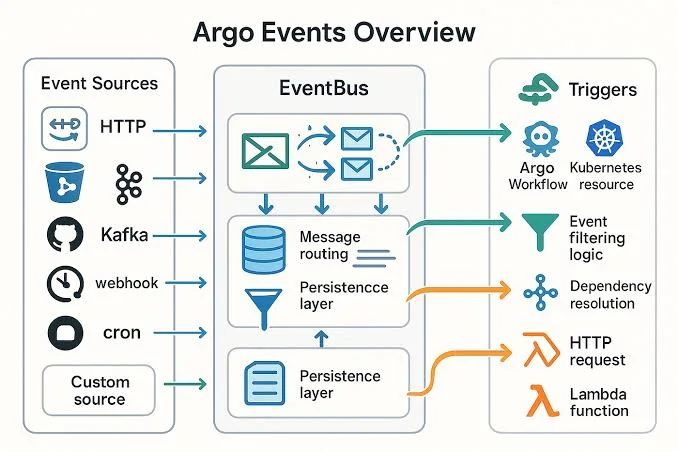
Yes. Argo Events can submit workflows from webhooks, message queues, object storage notifications and many other sources.
Key Takeaways
- Use the
scheduleslist; the singularschedulefield was removed in version 4.0. - Always set
timezone,concurrencyPolicyandstartingDeadlineSecondsexplicitly. - Add
activeDeadlineSecondsso one hung run cannot block every future run. - Base date logic on
{{workflow.scheduledTime}}, not the current clock. - Test on demand with
argo submit --from cronwf/<name>before trusting the schedule. - Alert on failures and on missing successful runs.
- Keep failed run history longer than successful history for investigations.
Conclusion
CronWorkflows bring reliable scheduling to Argo Workflows with policies for overlaps, missed runs, history and timezones. Define schedules carefully, reference stored templates and add deadlines and notifications. Generate a ready-to-apply manifest with the CronWorkflow generator and review common failures in the troubleshooting guide. Reliable schedules are what let teams trust automation with their most important recurring jobs.

Written and reviewed according to our editorial policy. Spotted an error? Tell us and we will fix it. This site is independent and not affiliated with the Argo Project.
Related guides
 Workflow Templates
How Do You Create Reusable Argo Workflows Templates?
Learn how to build reusable Argo Workflows templates. Covers WorkflowTemplate, ClusterWorkflowTemplate, templateRef, workflowTemplateRef, parameters, versioning and GitOps best practices.
 Workflow Automation
How Is an Argo Workflows YAML File Structured?
Understand every important field in Argo Workflows YAML — metadata, spec, templates, inputs, outputs, variables, expressions, retries, deadlines, garbage collection and synchronisation.
 Troubleshooting & Errors
How Do You Fix Common Argo Workflows Errors?
Diagnose and fix common Argo Workflows errors — RBAC and service accounts, pending pods, OOMKilled, image pulls, artifacts, parameter resolution, DAG cycles, UI login, CronWorkflows and controller issues.